How healthy is your website? We ask because it’s as crucial a factor as any external ranking factors, given all the Google algorithm changes we have seen in past years. The recent Google Panda 4.2 update is still rolling out and the effect of that change has yet to land.
When it comes to the overall health of a website there are a few things that you need to monitor on a regular basis. And by doing so, the website is more likely to rank better and not lose presence on search engine ranking results.
Keep a close watch on these important points to maintain the overall health of a website:
1. Domain Age of a website
Is your website expiring in a year or so? Better renew your domain age as soon as possible. This is one of the factors that underscores the authority of the website. Long term ownership indicates long term intent and this can have an impact on search engine performance. If it’s possible, have at least 5-10 years of domain ownership.

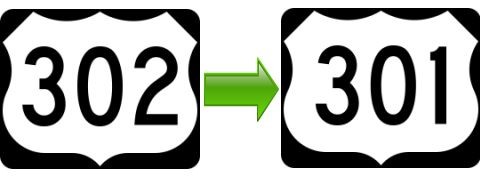
2. Temporary redirects (302 redirects to 302 redirects)
Set up permanent redirects (301 redirects) immediately after pages are removed or page names are changed on your website, particularly if you continually make changes to the site. You need a proper redirect to the newly created page when you have removed pages or changed existing pages. ‘Not Found’ is the epitome of bad user experience.
3. XML and HTML Sitemap presence
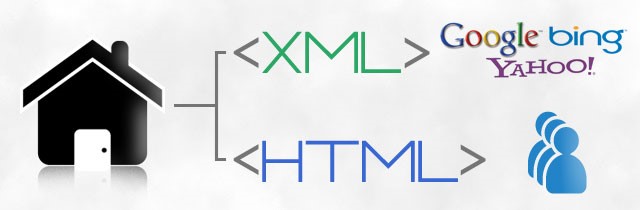
A sitemap tells search engine spiders about the various pages of your website content. It’s a file listing your web pages. Keep a close eye on Sitemap update on Webmaster Tool for faster indexing of website pages (when new pages are added). It allows search engine web crawlers to read the file and more intelligently crawl your site. XML sitemap targets search engine crawlers.
HTML sitemap delivers better user experience. It helps visitors easily navigate through the contents of a website. HTML sitemap link contains organized lists of various pages of a website which visitors can click, helping them find the pages they are looking for.
4. Error pages and broken links check (404 – Not Found)
Pages that fail to load, broken links and error URLs are dead-ends to search engines. And they make for unhappy users who are more likely to bounce away from the website. A site free of broken links and error URLs significantly increases the site crawling rate and the frequency at which search engine bots visit the site. So, check and fix those error URLs and broken links on regular basis.
5. Page Load Time of the website
Everyone hates waiting. Visitors will bounce away to competing websites that load faster if your site takes too long to display. People tend to want what they are looking for right now, not 10 seconds from now. Sounds crazy, but it’s true. Pay attention to your page load speed or suffer the loss of potential customers and loss of revenue.
Website speed is also affected by such factors as the user’s geographical location, network speed, the browser and device used by the visitor. On an average, page load time should ideally be 1.5 to 2.0 seconds. Faster page load time is advantageous to user experience and search engine crawlers. Keep track of page load speed. Google considers page load speed a ranking factor.

Continuously monitor your website’s health, and consider the points listed above. Keep close watch on Google Webmaster Search Console to see how a website has been doing. You’ll get specific details about the areas where improvements can be made.
Have you looked at the health of your website recently? How healthy was it then, and how healthy is your website now?
Contact Position2 to optimize your website and keep your website healthy all the time.