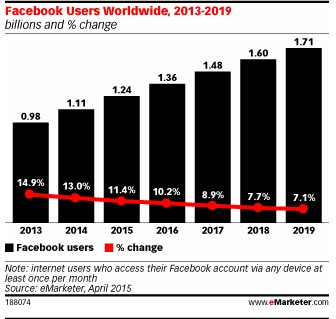
Looking to promote your business, enlarge your brand audience? Look no further than Facebook. With a constantly diversifying array of internet users signing up for Facebook, having a showcase on Facebook for a brand, organization, business, company or entity has become as critical as having a website.
Eight Ways to Boost the Visibility of Your Business Page on Facebook
 1. Business Overview
Make sure all the information about your business in the following checklist has been included on your Facebook Business page.
In General
- Description(short & long)
- E-mail ID
- Phone number
- Address
- Map
- Ratings & reviews
- Vanity URL
For a Local Business
- Working hours
- Product price
- Parking
- Public transit
- Payment methods
- Specialties
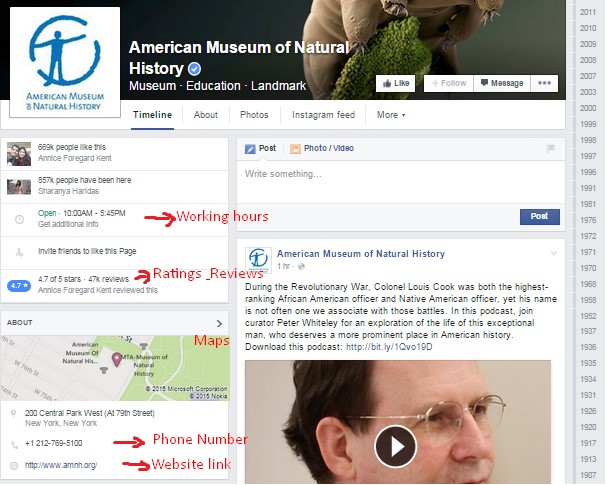
In this example The American Museum of National History improves their Local Business Visibility by providing Facebook users planning their visit with relevant information.
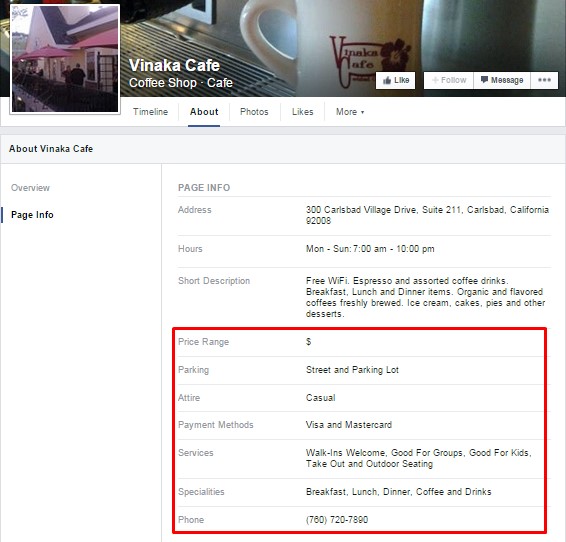
In another example, Vinaka Cafe makes it easier for consumers to access this Local Business by posting information about their specialties, price range, their services and parking availability.
For B2B Business:
- Year Founded
- Awards
- Company Mission
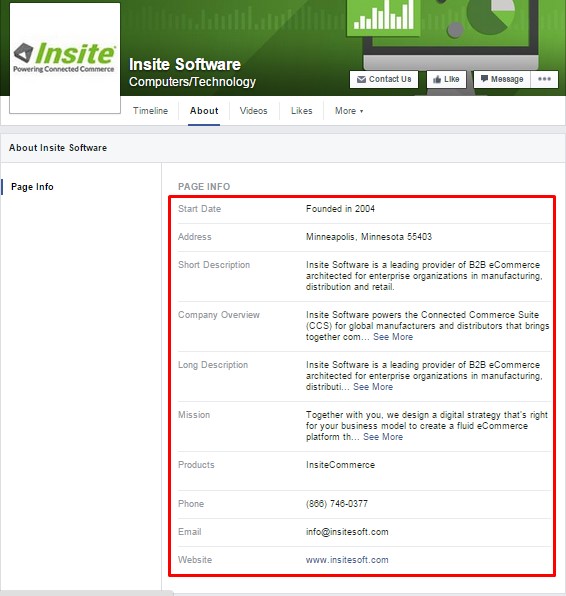
Insite Software added all the basic information that describes their business: the year the company was founded, the address, a short and long description, the products offered and contact information.
2. Call-to-Action Feature
Facebook has added a CTA feature that helps users take actions important to the business. CTA buttons include such basics as Sign Up, Contact Us, Book Now, Shop Now, Play Game, View App, Watch Videos, etc. Businesses leveraging this CTA feature easily drive traffic to their website.
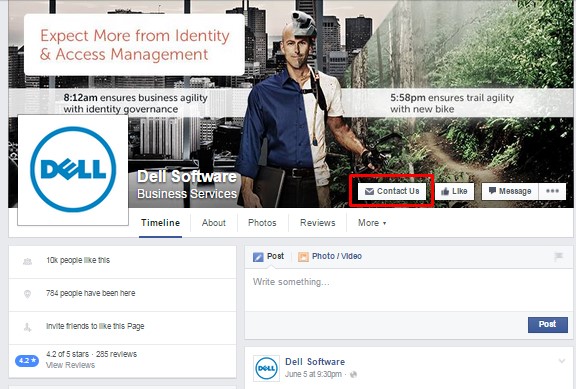
You can track the number of people who have clicked on your Page’s call-to-action button in two ways:
- Hover over your Page’s Create Call to Action button and then hover over View Insights to see how many clicks have been received in the past seven days.
- Go to This Week on the right side of your Page and hover over the box that shows the name of your call to action to see how many people have clicked that week.
3. Tabs and Apps
Tabs and Apps can be found below your Page’s cover photo. You can display up to 5 tabs below your Page’s cover photo, and up to 3 apps on the left side of your Page’s Timeline.
- Tabs come with your Page when you create it and direct people to specific parts of your Page, like Photos and Events.
- You can add apps made by third-party developers to your Page, build your own, or work with one of Facebook’s Marketing Partners to create a unique app experience on your Page.
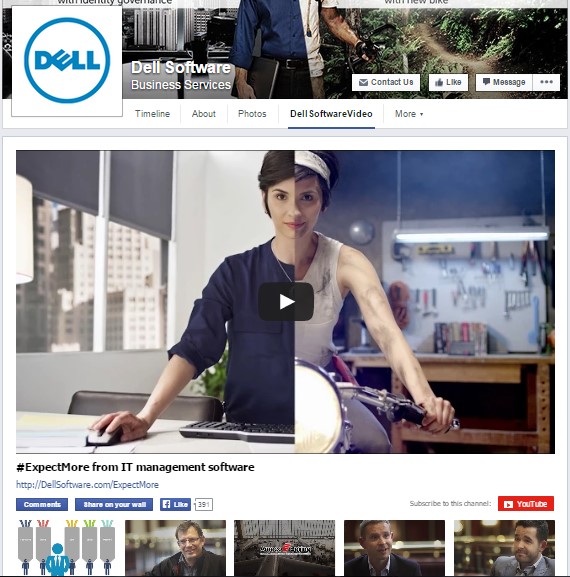
You can customize your tab on Facebook.
In this example Dell Software has added a custom tab displaying all the relevant YouTube videos. This keeps the user within the Facebook channel.
4. Image Optimization
In order to optimize the images that are featured on the Page you first need to select the top 9 photos you want on the Page. It’s important to select images that best represent your brand because they are automatically chosen from the Business Page’s default photo album. 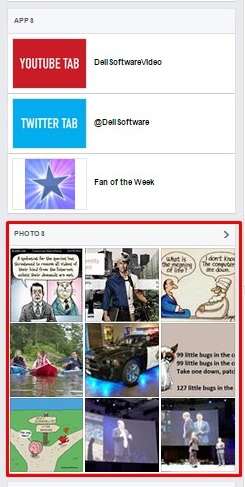
5. Featured Video
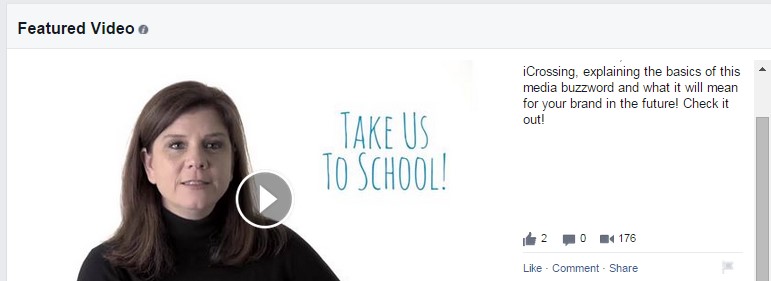
One of Facebook’s latest update encourages Pages to upload a featured video and show it prominently to people selecting your Video tab. This will also be featured in the About Us section.
6. Video Cards
Create and share personalized Facebook Video Cards.
- Job Well Done
- Goodbye
- You Can Do it
- Recommend a Client
To check out this feature, log into Facebook and go to the Say Thanks page.
7. Reviews and Feedback
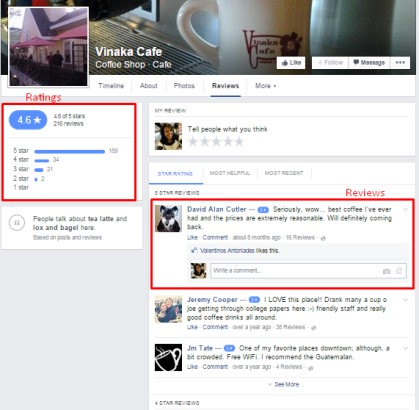
This feature applies only to Local Business pages and will appear below the About Us section. By activating this feature users will be able to read other users’ experiences and ratings of the business. To have a better view of the comments click on the review session in the About Us section.
8. Posting Schedule & Target Audience
To achieve maximum engagement find the ideal time your fans are online and schedule posts accordingly.
Check your Facebook Insights to see when your fans are online. You’ll see data for each day of the week. Ideally, post half an hour before they are online so your post will appear on their news feed by the time they arrive.
Facebook recently added two new targeting options for page posts: Target Interests & Post End Date.
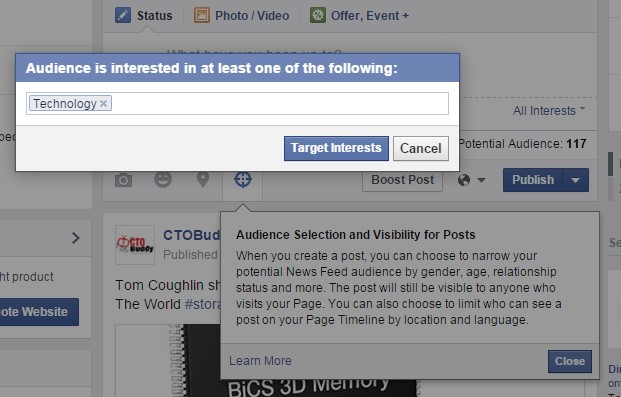
Use Target Interests to direct your updates to a narrowly defined group. You’ll receive greater engagement. Target them by their interests, gender, age, location, behavior, etc. Once you set this up, the Facebook Business Page will appear on users’ newsfeed as per the targeted interest.
Note: This feature needs to be enabled under the general settings at “News feed audience and visibility for posts”.
When you use the Post End Date option, you predetermine your post’s lifespan in the news feed. When the end date passes, the post will no longer appear in a news feed even though it remains on your page. This is an effective way to promote events and other time-specific posts.
These tips can be easily implemented on Your Facebook Business Page and there’s no fee attached to any action.
Stay tuned for the next segment. We’ll talk about how to improve your business with Facebook Ads.