Compared to other social media channels, marketing on LinkedIn has never been easy. While running campaigns or even reporting data Facebook and Twitter have provided a greater degree of flexibility and granularity. LinkedIn marketers have been looking for more options to efficiently reach targets on the platform. Remarketing would help. So would custom lists, conversion tracking, goal based pricing, and a better interface. Enter the new Campaign Manager tool. LinkedIn still has some issues to work out, but marketers can heave a sigh of relief. Here’s what caught our attention in the new launch:
Improved Account Overview
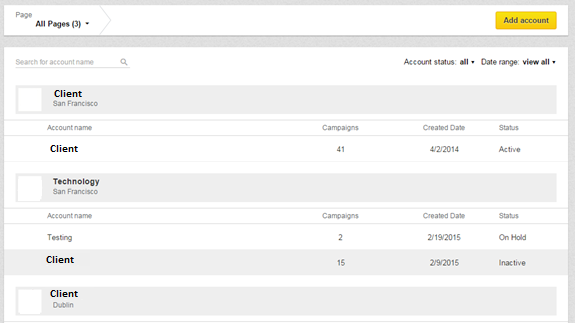
LinkedIn has overhauled the entire interface structure. Marketers can now view accounts in one location. Reports also follow suit. One click on each account yields a view of all the basic metrics for that particular account.
Name Your Ads
To name ads, the old interface defaulted with the headline. With the new tool users have the option to name their ads, a big plus when you’re running different ads with the same headline.
Campaign Search
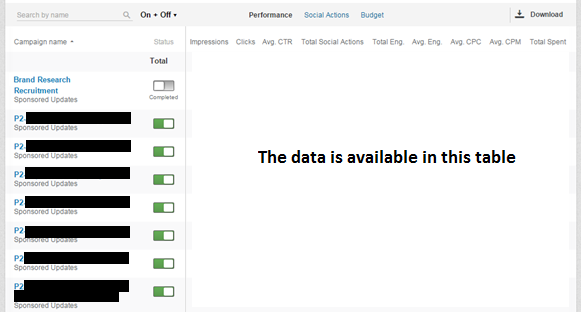
The previous LinkedIn interface showed page after page of campaign names, making it confusing and difficult to locate that one campaign. The new Campaign Manager introduces a search tool where all your campaigns are contained in an ongoing list that’s fast and easy to navigate. This feature comes with a handy toggle allowing users to view performance metrics like impressions, clicks, CTR, Engagements, CPC, CPM, etc. at the campaign level, all while doing away with the annoying ‘loading’ symbol. It’s both faster and hassle free.
Campaign Dashboard
LinkedIn has really improved the old dashboard by better organizing the tabs and reducing the page load time. The dashboard now looks concise with the much needed toggle option between Performance, Ads, Audience and Bids & Budgets tabs.
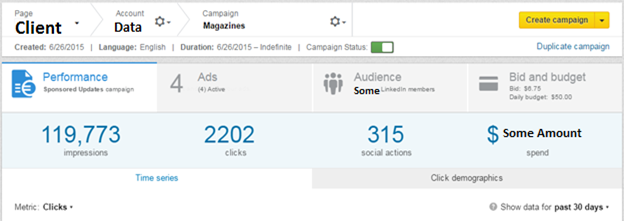
The Audience tab is a major improvement. Users can now select the Targeting criteria and then select Categories to add deeper layers to their targeting. On the weak side, the ‘Estimated Targeting Audience’ head shows only a range of the targeted audience rather than the exact number of people.
Ad Scheduling
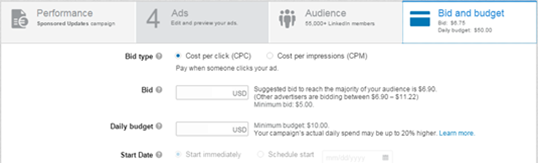
The Ad Scheduling feature in the new Campaign Manager, accessed through the main dashboard, is easily navigable. Simply go to the Bids & Budget tab in the Campaign Dashboard and select the start date (Start Immediately or Schedule Start option).
Audience Insights
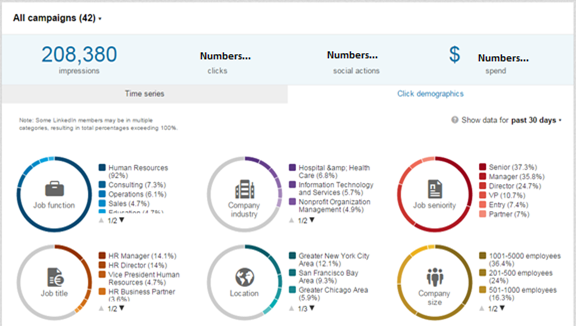
Audience Insights is a remarkable feature in the new Campaign Manager tool. You’ll be able to view the Demographic Categories of the LinkedIn members interacting with your ads. The data is available at the Account, Campaign and Creative level, making it more insightful and actionable.
Improved Ad Testing
Set up accounts for Ad rotation. With this feature you can run multiple versions of the same ad and measure performance.
Exporting Data To CSV
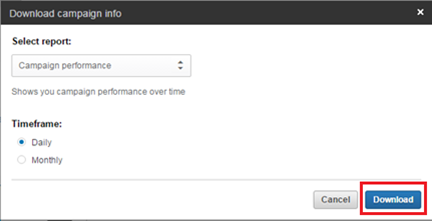
This new version will allow you to export data in CSV format which will lead to greater flexibility and more insightful reporting.
Is the new campaign manager tool better? Use the ‘Comments’ section below and share your opinion.